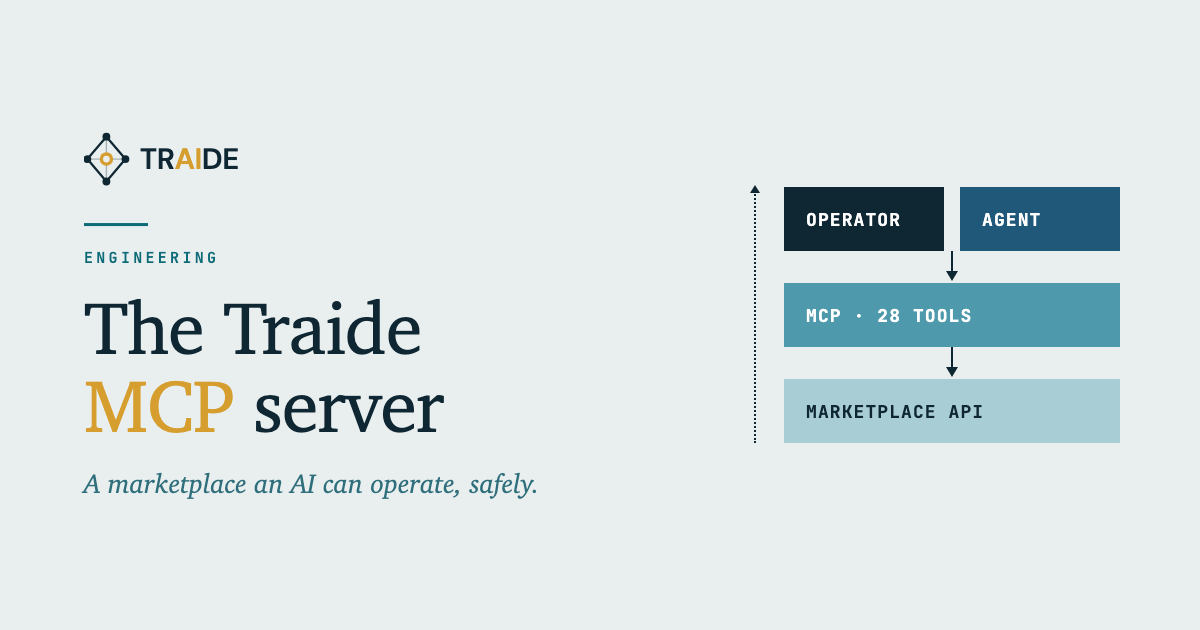
- An assistant inside your marketplace: 28 tools to find orders and products, explain what is wrong with them and, if you allow it, act.
- Your key, your rules: no master key, nothing changes until you switch it on, and limits and approvals the assistant cannot change.
- Tested on our own: we run it against our demo marketplaces, and one real session is below.
Key takeaways
Running a marketplace means answering the same questions all day. Where is this order? Why isn’t that product showing? Who is waiting on what? Our MCP server lets an AI assistant answer them from inside your marketplace, with your permissions and under your rules. Here is what it does, how it stays safe, and how we use it ourselves.
An assistant that works inside your marketplace
MCP is a standard way for an AI assistant, such as Claude, to plug into other software and use it in the middle of a conversation.
Our MCP server plugs an assistant into a Traide marketplace. It offers 28 tools, and they cover the work an operator does every day:
- Find things. Orders by status or customer, products by name or seller, collections and attributes.
- Explain what’s wrong. Two diagnostic tools check an order or a product and say what needs attention and what to do next. A shipment with no tracking number, an order a week old and still unshipped, a listing with no photo or no stock.
- Act, if you allow it. Fulfil, update or cancel an order, add a note, edit a product, or request access for a teammate.
So instead of clicking through screens, you can ask: “Which of this week’s orders haven’t shipped, and why?” or “Why isn’t this product showing on the storefront?” The assistant isn’t guessing. It reads the same data your dashboard shows, through the same system, with the same permissions as the person asking.
How it stays safe
Four rules decide what the assistant can do.
- Your key, not ours. The assistant works with the operator’s own key, so it can do only what that person can do, and every action traces back to them. There is no master key on our servers, and they turn away any request that doesn’t bring a key.
- Reading is on; changing is off. Every tool that changes something stays switched off until the marketplace turns it on.
- Limits, and a person for the big calls. For each tool, the marketplace sets what it may do, how much per call, how often, and above what value a person must approve first. The assistant cannot loosen those limits itself.
- Information, not orders. Anything written in a listing, an order note or a customer’s name reaches the assistant marked as information, not instructions. That makes it much harder to slip the assistant orders through a product description.
Before we hosted it, two independent reviewers attacked the server from different angles, and we fixed what they found. The worst was a safety lock that looked installed but wasn’t connected. We fixed it before any tool that could change data existed.
We use it ourselves
We use it in our own work and in every demo we build. Here is one session from 19 October 2026, against a demo marketplace for a fictional office fit-out exchange.
The assistant pulled up the marketplace’s 11 orders and 6 products, noticed that none of the products had a photo, which quietly costs sales, and said how to fix it.
Then we tested the limits. The marketplace’s operator, a person, set one rule for the tool that places requests: up to 10 units and $5,000 a call, and a person approves anything over $1,000.
When the assistant asked for $2,360 of goods, the request was held. An approval request appeared with the assistant’s proposed fix attached, waiting for a person to decide.
A $310 request inside the limits passed the rule. Then the marketplace’s own checkout stopped it, because shipping details were missing.
When we tried to change the rule using the assistant’s own key, the marketplace refused.
So the $2,360 request waited for a person, the $310 one met the marketplace’s own checks, and the assistant could not rewrite its rules.
What isn’t done yet
- A shopping version, for your customers’ own assistants to browse and buy, is built but not yet switched on for the public.
- Operators connect today by adding their key to their assistant’s settings by hand. A proper sign-in is planned.
- We haven’t yet connected it to our clients’ live marketplaces ourselves, and a view of everything the assistant did is still to come.
What this means for you
If you run a marketplace on Traide, an assistant can already read it, explain what’s wrong in it and, with your permission, act in it, under your rules. If you don’t, this is a sensible way to start with AI: your own systems, your own permissions, and a person approving anything that matters. If that is the conversation you want to have, talk to us.